 Editions ENI Livres | Vidéos | e-Formations
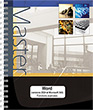
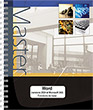
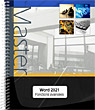
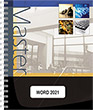
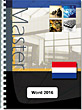
Word 2021 (E/E) :Text in English with the English version of the software
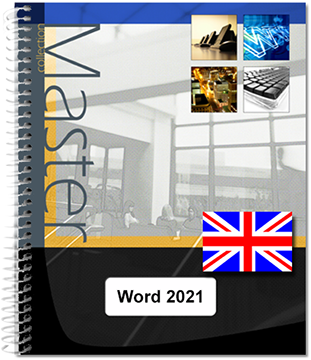
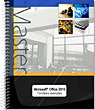
This practical guide provides a detailed introduction to all the word processing functions available in Microsoft® Word. It has been written using the 2021 version of Word. It is aimed at anyone who wants to explore and familiarise themselves with all its features. Following a description of the work environment, you will learn how to create and save documents to your computer, a network, or OneDrive, the online storage service provided by Microsoft. You will also learn how to edit a PDF file in...
- Niveau Initié à Confirmé
- Parution août 2026
- Niveau Initié à Confirmé
- Parution septembre 2023
Following a description of the work environment, you will learn how to create and save documents to your computer, a network, or OneDrive, the online storage service provided by Microsoft. You will also learn how to edit a PDF file in Word itself.
Next you will see how to enter and edit text, create and use automatic entries and equations, insert fields, paginate a document and print it.
The following section explains in detail how to format the text using font formatting, paragraph and page layouts. To optimise formatting, you will learn how to apply a theme to the document, and how to create styles and templates. You will then explore more advanced text management features, using search and replace functions, the spell checker, thesaurus and translation functions.
In the next section, devoted to working with long documents, you will find out how to create notes and bookmarks, an outline, a table of contents, an index, a bibliography and a master document.
A Word document can contain items other than text: tables, graphic objects and images, to which you can apply numerous artistic effects. There are also 3D Models and videos which you can view in Word itself.
You will also find out how to create a form, perform a mail merge, import data from Excel, and work with others on the same document using tracked changes and co-authoring. You can customise the user interface, manage user accounts and write macros.
Caractéristiques
- Reliure spirale - 21 x 29 cm (A4)
- ISBN : 978-2-409-04304-8
- EAN : 9782409043048
- Ref. ENI : ME21WOR
Caractéristiques
- HTML
- ISBN : 978-2-409-04305-5
- EAN : 9782409043055
- Ref. ENI : LNME21WOR
Environment
- Starting and exploring Word 2021
- Exiting Word 2021
- Changing the colour of the Word window
- Using/managing the ribbon
- Undoing/redoing/repeating actions
- Undoing actions
- Redoing actions
- Repeating the last action
- Using Help
- Intuitive Help
- Help tab
Views
- Showing/hiding formatting marks
- Changing the zoom level
- Changing views
- Print Layout view
- Draft view
- Read Mode
- Web Layout view
- Activating and using Side to Side and Thumbnails views
- Optimising displays
- Using learning tools
Documents
- Creating a document
- Opening a document
- Saving a document
- Closing a document
- Using the OneDrive online storage area
- The advantages of using OneDrive
- Saving a file to OneDrive
- Opening a file saved to OneDrive
- Using the list of recently used documents/folders
- Recent documents
- Recent folders
- Carrying on reading a document
- Recovering a version of a document
- Recovering a temporary version
- Creating a document from a template
- Using a custom-made template
- Using a template from the Office.com website
- Checking the compatibility of a Word 2021 document with previous versions of Word
- Working with documents from a version prior to Word 2007
- Working in compatibility mode in Word 2021
- Converting a document to Word 2021 file format
- Saving a document in PDF or XPS format
- Editing a PDF document in Word
- Choosing document properties
- Inserting one document into another
- Comparing two documents side by side
- Sending a document by e-mail
- Publishing a document as a blog post
- Registering a blog account
- Publishing a blog post
Entering and editing text
- Selecting text
- Entering/deleting text
- Using spellchecker/automatic formatting
- Using tabs
- Inserting non-breaking hyphens/spaces
- Inserting the current date
- Using the keyboard
- Using the dialogue box
- Inserting symbols into your text
- Inserting a page break
- Inserting a line break
- Moving/copying part of a text
- Moving/copying text without the clipboard
- Inserting placeholder text
AutoText
- Creating an AutoText
- Using an AutoText
- First method
- Second method
- Managing AutoText
- To modify the properties of an AutoText
- Change the content of an AutoText
- To delete an AutoText
Mathematical equations
- Inserting an equation
- Creating an equation
- Creating a handwritten equation
- Managing equations
- Saving an equation
Fields
- Inserting a field
- Displaying/hiding field codes
- Updating a field
Page layout
- Changing the page orientation
- Changing the margins of a document
- Applying preset margins
- Defining custom margins
- Inserting a predefined header
- Creating a custom header or footer
- Creating identical headers and footers for all pagesin the document
- Creating a different header and footer for the firstpage
- Using different headers and footers for odd and evenpages
- Creating several headers or footers
- Managing headers and footers
- Editing headers and footers
- Deleting content in a header or footer
- Deactivating the Different First Page option and theDifferent Odd & Even Pages option
- Saving a header or footer
- Numbering the pages in a document
- Inserting page numbers
- Editing the format of page numbers
- Managing page numbers
- Deleting page numbers
- Saving a page number style
Printing
- Using print preview
- Printing a document
Characters
- Formatting characters
- Using the ribbon
- Using the keyboard
- Using OpenType functions
- Changing the space between characters
- Applying a gradient to characters
- Applying a preset gradient
- Applying a custom gradient
- Applying an outline to characters
- Applying a shadow to characters
- Applying a reflection to characters
- Applying a glow effect to characters
- Applying a 3-D effect to characters
- Changing the default appearance of characters
- Applying a character style
- First method
- Second method
Paragraphs
- Introduction
- Setting a tab stop
- Using the ruler
- Using the dialogue box
- Managing existing tab stops
- Indenting paragraphs
- Using the ruler
- Using the dialogue box
- Modifying text alignment in paragraphs
- Changing the line spacing
- Modifying paragraph spacing
- Preventing a break between lines or paragraphs
- Drawing borders around paragraphs
- Applying a fill colour to a paragraph
- Using the tool
- Using the dialogue box
- Changing the appearance of a paragraph
- Applying a paragraph style
- First method
- Second method
- Creating a Drop Cap
Pages
- Inserting a cover page
- Managing cover pages
- Deleting a cover page
- Saving a cover page
- Inserting a blank page
- Aligning text vertically
- Applying a border to a page
- Creating a watermark
- Adding a built-in watermark
- Adding a custom text-based watermark
- Adding a custom picture-based watermark
- Managing watermarks
- Modifying a text or image-based watermark
- Deleting a watermark
- Saving a watermark
Text formatting
- Displaying text formatting
- Comparing the formatting of two texts
- Selecting text with the same formatting
- Deleting a type of formatting
- Copying formatting
Presentation
- Creating and formatting a section
- Inserting a section break
- Formatting a section
- Numbering paragraphs or putting bullets in front of them
- Applying bullets or numbering from the library
- Applying a different bullet
- Applying a different numbering
- Managing the bullet/numbering library
- Creating a multilevel list
- Presenting text in columns
- Inserting a column break
Themes
- Applying a theme to a document
- Customising the document theme
- Changing theme colours
- Changing theme fonts
- Choosing a different set of theme effects
- Saving a theme
Styles and styles set
- Creating a style
- First method
- Second method
- Creating a list style
- Select texts with the same style
- Cancel a style
- Managing styles
- Modifying a style
- First method
- Second method
- Modifying a style
- Deleting a style
- Managing the list of recommended styles
- Printing the list of styles
Templates
- Creating a template
- Creating a template based on an existing template
- Creating a template based on an existing document
- Modifying a document template
- Changing the template associated with a document
Finding and replacing text
- Finding text
- Find text by its content
- Finding text by its format
- Replacing one item of text with another
- Replacing one format with another
- Finding/replacing special formatting characters
- Using advanced search criteria
- Using smart lookup
Spelling and grammar
- Checking the spelling and grammar of a document
- Customising the spell check
- Using a custom dictionary
- Using AutoCorrect
- Activating/deactivating AutoCorrect
- Defining the AutoCorrect entries
- Using the AutoCorrect button
- Specifying the language used for spell check
- Counting sentences, words and other elements in a document
- Using Math AutoCorrect rules
Other revisions
- Using the thesaurus
- Translating text
- Translating part of the text
- Translating an entire document
- Changing the translation language
- Hyphenating words
- Defining hyphenation options
- Activate automatic hyphenation
- Manual Hyphenation
- Using the dialogue box
- Using the keyboard
Notes and bookmarks
- Creating footnotes and endnotes
- Changing the position and/or the format ofnotes
- Managing existing notes
- Creating and using bookmarks
- Creating a bookmark
- Deleting a bookmark
- Using a bookmark
- Creating cross-references
Outlines and tables
- Creating an outline using preset heading styles
- Assigning an importance level
- To a paragraph
- To a paragraph style
- Working with a document outline
- Using the Navigation Pane
- Showing/hiding the content of headings in a document
- Numbering headings
- Numbering outline headings created with preset styles
- Numbering paragraphs formatted with preset styles
- Customising numbering on outline headings
- Creating a table of contents
- Creating a preset table of contents
- Creating a custom table of contents
- Updating a table of contents
- Saving a table of contents
- Creating an index
- Defining an index entry manually
- Defining index entries automatically
- Inserting the index
- Updating an index
- Creating a table of figures
- Creating a bibliography
- Adding a new citation
- Manage citations
- Insert a bibliography
- Managing bibliographies
- Managing sources
Master document
- Creating a master document
- Using a master document
Creating a table
- Inserting a table
- First method
- Second method
- Third method
- Selecting within a table
- Placing and using tabs in a table
- Inserting a column/row
- First method
- Second method
- Inserting cells
- Deleting rows/columns/cells
- Rows and/or columns
- Cells
- Splitting a table in two
- Merging cells
- With the tool
- By erasing borders
- Splitting cells
- With the dialogue box
- By drawing borders
- Sorting a table
- Sorting a single column of a table
- Convert text into table
- Fixing column headers
- Making calculations
- Basic principles
- Entering a calculation formula
- Using an integrated function in a table
Formatting a table
- Modifying column width/row height
- One column/row
- Several columns
- Several rows
- Standardising column widths/row heights
- Increasing the spacing between cells in a table
- Changing cell margins in a table
- Changing the margins for all of the cells in a table
- Changing the margins of one or several cells in atable
- Changing the cell alignment
- Applying a style to format a table
- Modifying borders in a table
- Using the ribbon tools
- Using the dialogue box
- Using the pen
- By copying formatting from another border
- Applying a fill colour to cells
- Using the tool
- Using the dialogue box
- Resizing a table
- Moving a table with the move handle
- Positioning a table across a page
- Saving a table to the gallery
Drawn objects
- Drawing a shape
- Inserting an icon
- Creating a text box
- Linking two text boxes
- Insert a screenshot
- Creating a WordArt object
- Editing WordArt
- Inserting a diagram (SmartArt graphic)
- Modifying a diagram
- Changing the formatting of a diagram
- Changing the formatting of the whole diagram
- Formatting several diagram items
Images/videos
- Finding and inserting an image online
- Inserting an image from a file
- Adding and adjusting a 3D model
- Inserting from a file
- Inserting from the Remix 3D online library
- Adjusting a 3D model
- Inserting a video from a website
- Compressing images
- Compressing an image
- Changing the default settings
- Resizing an inserted image
- Cropping an image
- Deleting a picture’s background
- Changing the image brightness, contrast, sharpness and colours
- Apply a style and/or effect to an image
- Apply an artistic effect to an image
- Undoing the formatting applied to an image
Managing objects
- Managing objects
- Managing the drawing gridlines
- Showing/Hiding the drawing gridlines
- Changing the gridlines settings
- Managing the alignment guides
- Activating/deactivating the alignment guides
- Changing the alignment guide settings
- Positioning an object
- Changing an object’s wrapping
- First method
- Second method
- Attaching a caption to an object
- Adding a caption manually
- Adding a caption to an object automatically
- Editing captions
- Updating captions
- Aligning/distributing objects
- Changing the object stacking order
- Grouping/ungrouping objects
- Changing one shape to another
- Rotating an object or picture
- Using the mouse
- Using the Rotate tool
- Applying a style to an object
- Modifying the outline of an object (image)
- Changing an object’s fill
- Applying a colour
- Applying a picture, gradient, texture or pattern
- Applying an effect to an object
- Applying a 3-D rotation effect to an object
- Applying a 3-D predefined rotation effect
- Applying a 3-D custom rotation effect
- Saving a text box
Forms
- Creating a form
- Inserting form content controls
- Defining content control properties
- Text content control properties
- Defining Combo box and Drop down list content controlproperties
- Defining Date Picker content control properties
- Protecting a form
- Using a form
Mailing
- Planning a mail merge
- Creating a mail merge
- Defining the main document
- Linking a list of recipients to the main document
- Adding mail merge fields to the main document
- Checking the mail merge
- Completing the mail merge
- Opening a main document
- Creating a list of recipients
- Managing the records in a list of recipients
- Going to the data entry grid or data source
- Adding a record
- Finding a record
- Deleting a record
- Editing a record
- Setting criteria for a mail merge
- Filtering on a value in one or more fields
- Filtering on several values from one or more fields
- Setting a condition for displaying text
- Sorting a list of recipients
- Creating mailing labels
Protection
- Attaching a password to a document
- Protecting the content of a document
- Restricting formatting of a document
- Marking a document as final
Sharing
- Introduction
- Sharing a document
- Managing the access to shared documents
- Generating a sharing link
- Co-authoring a document
- Co-authoring a document using Word
- Co-authoring a document with Word for the Web
- Managing comments
- Creating comments
- Showing/hiding comments
- Editing a comment
- Replying to a comment
- Marking a comment as resolved
- Deleting a comment
- Printing comments
- Turning on Tracking
- Changing track changes options
- Accepting or rejecting changes
- Merging documents
Data import
- Copying data from Excel to Word
- Creating an Excel spreadsheet in Word
- Inserting a hyperlink
- Creating a hyperlink to a file or Web page
- Creating a link to a place in an active document
Customising the interface
- Customising the Quick Access Toolbar
- Adding a tool
- Accessing Quick Access Toolbar customisation
- Deleting a tool
- Moving a tool
- Customising the Ribbon
- Accessing ribbon customisation
- Show/Hide tabs
- Create a new tab/new group
- Manage tabs/groups
- Add/remove commands to custom groups
- Restore the default settings
- Export/import of customisations
- Defining keyboard shortcuts
- Managing building blocks
Managing accounts
- General information about user accounts
- Adding an account
- Activating an account
- Adding or removing a service
- Changing the Office theme and background
- Managing Office software updates
Macros
- Displaying the Developer tab
- Creating a Macro
- Running a Macro
- Editing a Macro
- Deleting a Macro
Shortcuts
- Formatting
- Characters
- Paragraphs
- Miscellaneous
- Moving/Selecting and typing
- Deletion
- Moving
- Selections
- Insert special character/content
- Specific keyboard shortcuts
- Fields
- Tables
- Outline view
- Mail merge